AI Tools That Style You Smarter: A Practical Guide to Outfit Ideas, Smart Styling, and a Digital Fashion Planner
Getting dressed can be quick and confident when styling decisions are treated like a repeatable system: clear inputs (weather, event, comfort), a personal style baseline, and a simple way to generate options. The goal isn’t to “replace” taste—it’s to make your closet easier to use on real mornings, with fewer abandoned outfits and fewer last-minute purchases. Below is a practical workflow for AI-assisted outfit ideas, smarter styling decisions, and a digital planning method that keeps looks consistent across work, weekends, travel, and photos.
What “smart styling” means in real life
- Transforms vague goals (“look polished”) into measurable choices: silhouette, color story, fabric weight, and shoe level (flat/heel/sneaker).
- Uses constraints to reduce decision fatigue: dress code, temperature range, time available, walking distance, and preferred fit.
- Builds repeatable outfit formulas (for example, “tailored top + relaxed bottom + one statement accessory”) instead of one-off looks.
- Balances trend inspiration with wearability by prioritizing comfort, movement, and care requirements.
Set up your style inputs in 15 minutes
AI styling gets dramatically better when you give it a stable “home base.” Think of this as your personal styling settings: a few choices you rarely change, plus notes that prevent unusable recommendations.
- Define three style adjectives that feel authentic (examples: “clean, warm, modern” or “romantic, minimal, artsy”).
- Choose a default color palette: 2 neutrals, 2 accent colors, and 1 “wild card” color for occasional statements.
- List your non-negotiables: shoe type tolerance, waist rise preferences, sleeve comfort, fabric sensitivities, and layering needs.
- Create a “hero items” list: 5 pieces that always work (favorite jeans, blazer, boots, neutral knit, versatile bag).
- Capture closet basics quickly: photo 10–15 staple items and note sizes/fit notes (runs small, needs tailoring, etc.).
Quick style inputs to keep consistent
| Input |
Examples |
Why it helps |
| Style adjectives (3) |
Polished / relaxed / modern |
Keeps suggestions aligned with your vibe |
| Default palette |
Black + cream, accents: olive + rust |
Makes mixing easier and outfits look intentional |
| Comfort rules |
No itchy knits; prefer mid-rise |
Prevents “looks good, never worn” choices |
| Hero items (5) |
Blazer, straight jeans, white tee, ankle boots, tote |
Speeds up outfit building under time pressure |
| Occasions list |
Office, errands, date night, travel |
Ensures outfits match real calendar needs |
Outfit idea generation: the workflow that gets better over time
When outfit ideas feel endless, the fix is not “more inspiration”—it’s a tighter loop: brief → options → wear → notes → better options. Over a few weeks, this creates a personal database of what actually works on your body, in your schedule, and in your climate.
- Start with a situation brief: location, temperature, indoor/outdoor split, dress code, and one priority (comfort, photos, authority, warmth).
- Add what’s already decided: one anchor item (coat, shoes, or a statement top) to prevent endless options.
- Ask for 5 outfits in the same “family,” then refine: request variations that change only one variable (shoe swap, color swap, layer swap).
- Save what worked: keep a simple log of outfits you actually wore and rate them (1–5) for comfort, compliments, and practicality.
- Use seasonal refreshes: once per season, generate capsule pairings for your hero items and update your planner.
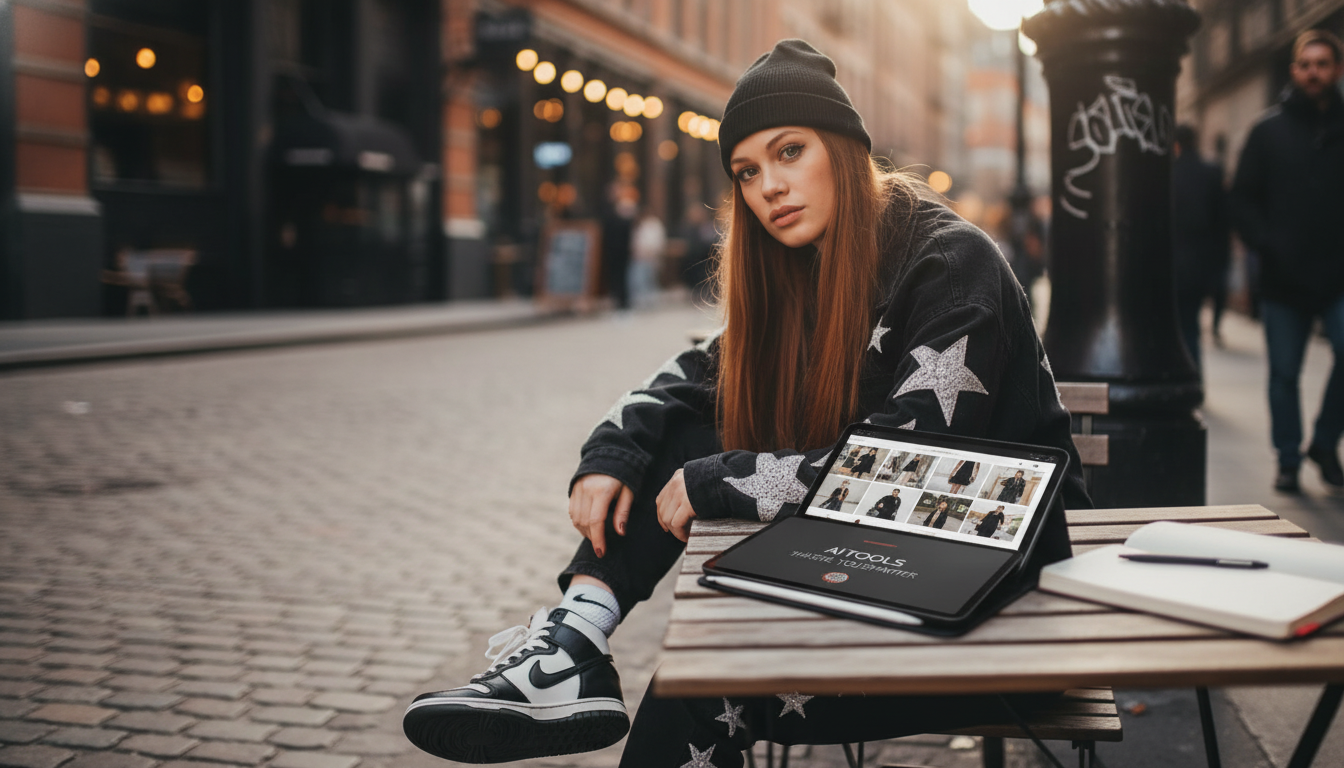
If you want a ready-made framework you can reuse week after week, AI Tools That Style You Smarter – Ebook Guide to AI Tools for Generating Outfit Ideas, Smart Styling Prompts, Digital Fashion Planner organizes these steps into simple checklists and a planner-friendly flow.
Smart styling prompts that sound like you (without overthinking it)
Clear inputs create recommendations that feel personal instead of generic. The simplest approach is a repeatable template you can copy and adjust.
Digital fashion planning: turning outfits into a usable calendar
For a quick “dressy default” that still feels comfortable, consider keeping a reliable knit dress in rotation, such as the Romantic Knit Long-Sleeve Fishtail Sweater Dress for Fall and Winter, and then vary shoes, outerwear, and accessories depending on the occasion.
Common pitfalls and quick fixes
For longer-term closet satisfaction, it helps to consider durability and care alongside aesthetics. The CFDA’s sustainability resources are a useful reference point for mindful wardrobe choices: https://cfda.com/resources/sustainability.
A simple 7-day challenge to lock in your personal style
When using any AI tool that involves photos or personal details, keep privacy basics in place: review sharing settings, remove location metadata, and follow general personal information security guidance from the FTC: https://consumer.ftc.gov/articles/how-keep-your-personal-information-secure. For a broader perspective on responsible AI use and risk, NIST’s AI Risk Management Framework is a helpful resource: https://www.nist.gov/itl/ai-risk-management-framework.
FAQ
Do AI styling tools work if the closet is small or mostly basics?
Yes—basics are ideal because repeatable formulas and a consistent color palette make mixing easy. Start with one anchor item and generate variations that change only shoes, layers, or one accessory.
How can outfit suggestions stay aligned with a realistic budget?
Use constraints like “use only what I own,” “suggest 1 optional add-on under $X,” and “prioritize cost-per-wear.” Focus spending on true gaps (outerwear, shoes, layering pieces) rather than trend-only items.
What should be avoided when sharing photos or closet details with AI tools?
Avoid sensitive personal data and remove location metadata when possible. Use cropped images and check the tool’s privacy policy and retention settings before uploading.
Recommended for you









Leave a comment